> ## Documentation Index
> Fetch the complete documentation index at: https://mixpanel-edb78807-verified-mode-mcp-note.mintlify.site/llms.txt
> Use this file to discover all available pages before exploring further.
# Boards on Boards: Organize your analyses with nested Boards.
For organizations on the enterprise plan, you can nest Boards within other Boards to organize your teams and analyses.
> You must have an active **Enterprise** plan with Mixpanel to access this feature.
### How to nest Boards
To place a Board on Board, you can:
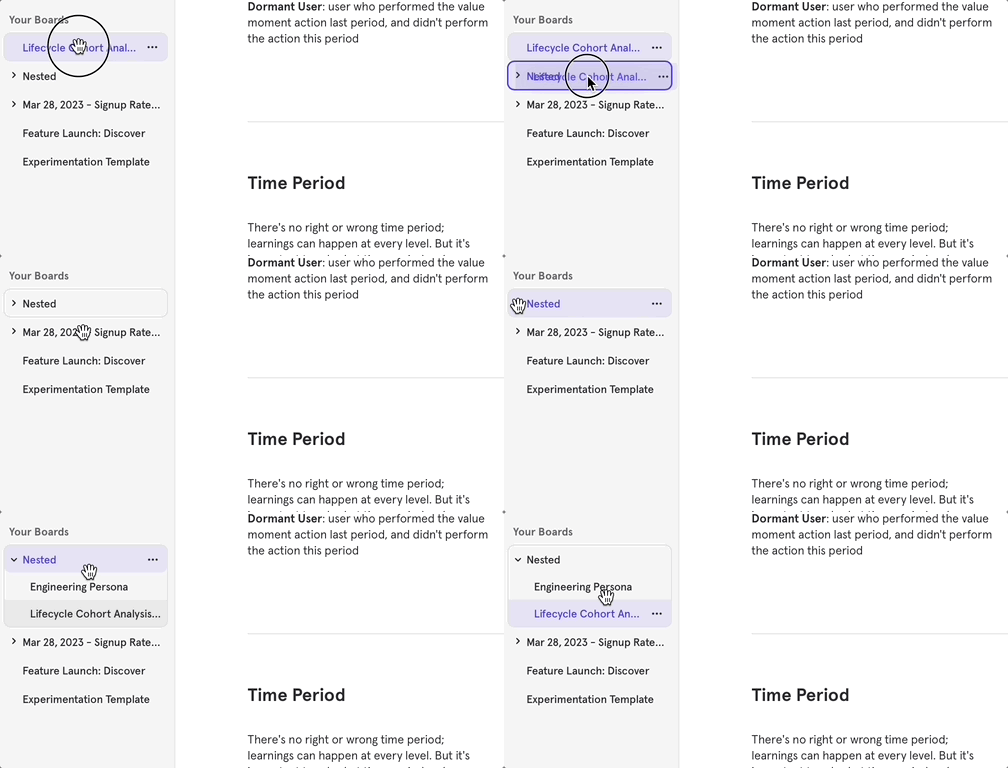
* Drag and drop directly from the side navigation. For permissions, see limitations below.
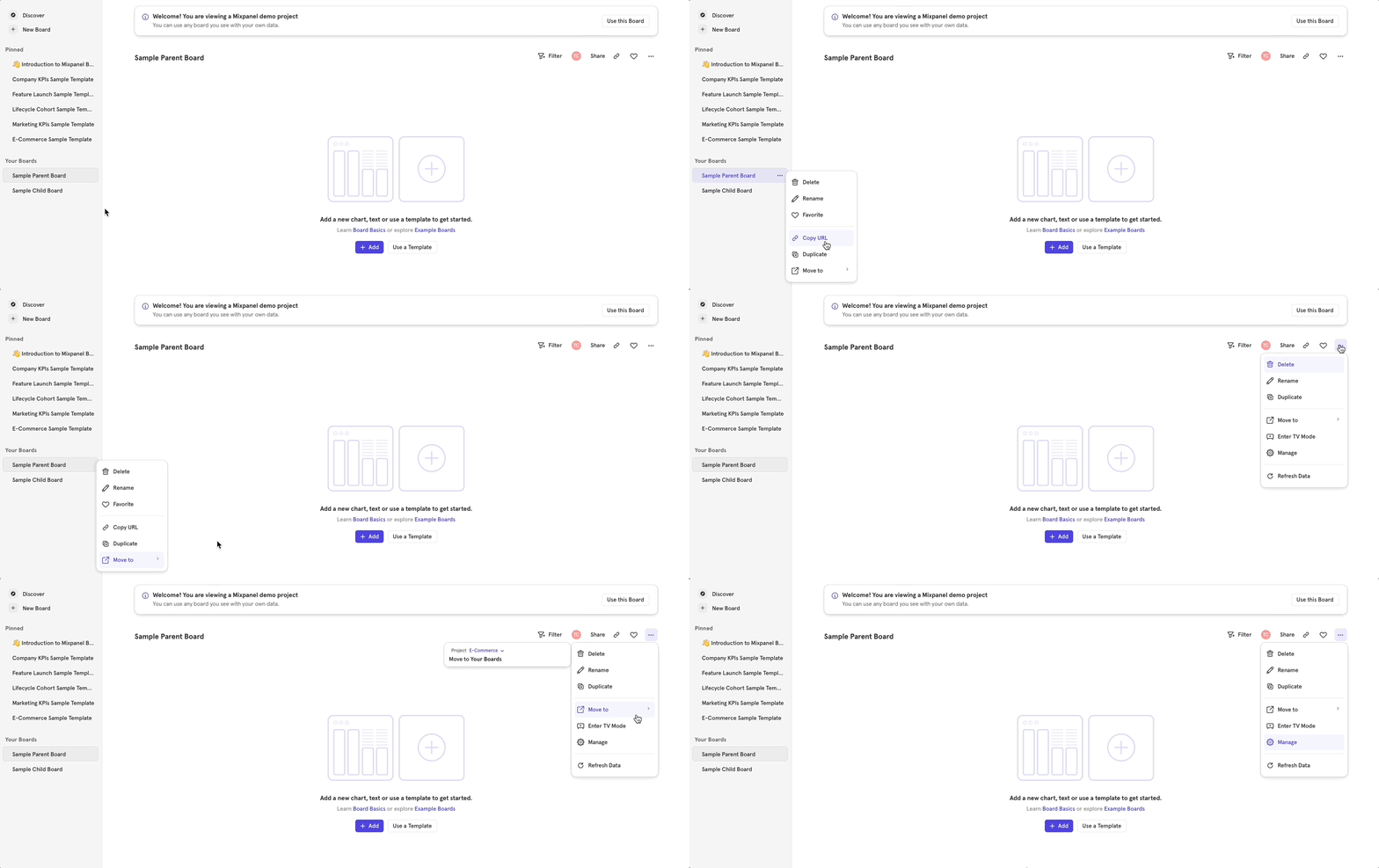
 * Use the “Move to” option, which is accessible from 3 locations:
* From the side navigation, click on the 3 dots next to the desired Board name
* From the current Board that is open, click on the 3 dots in the top right in the header menu
* Use the “Move to” option, which is accessible from 3 locations:
* From the side navigation, click on the 3 dots next to the desired Board name
* From the current Board that is open, click on the 3 dots in the top right in the header menu
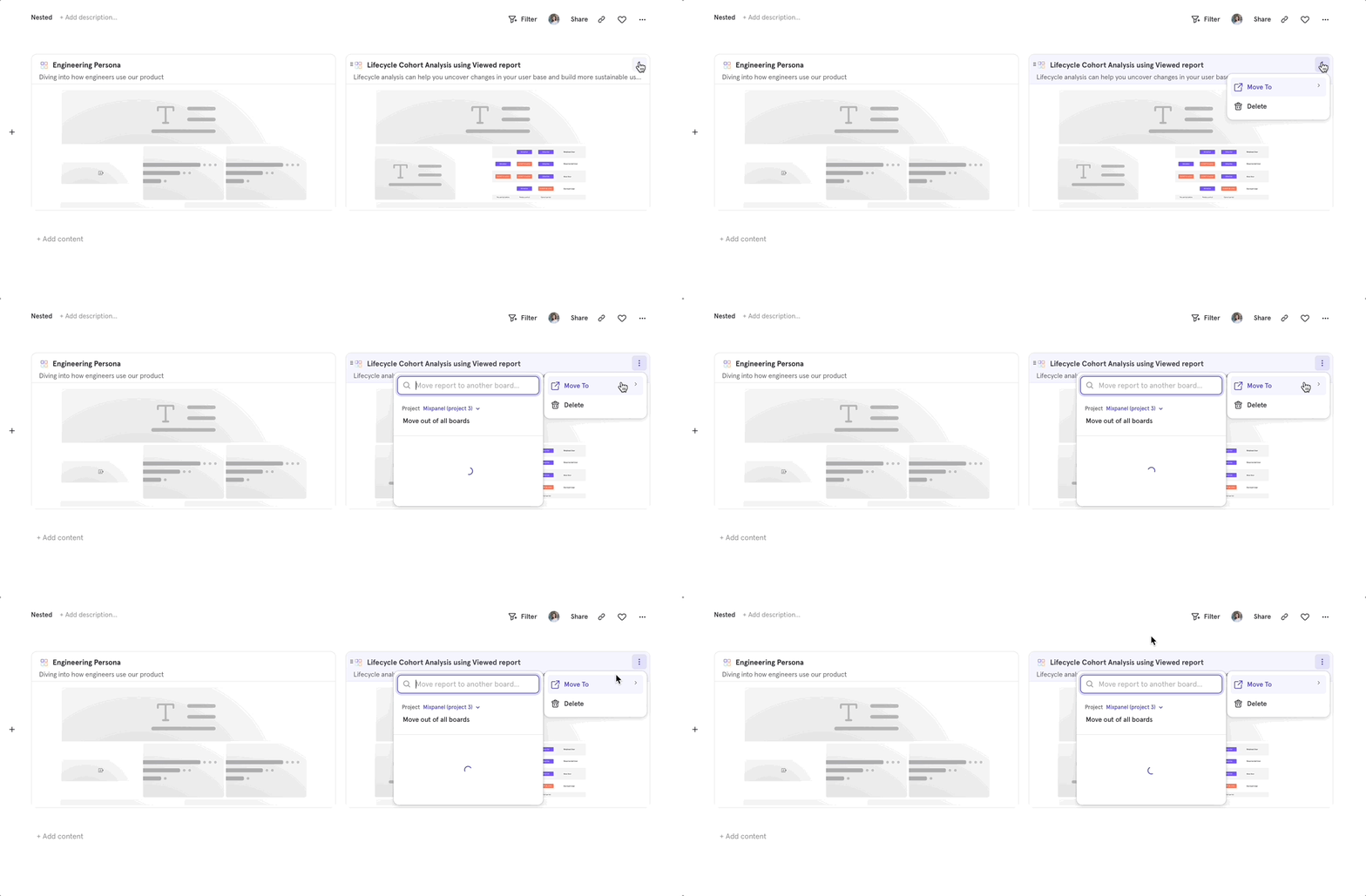
 * If a Board is already on a Board and you’d like to move it elsewhere, you can click on the 3 dots in the card menu of the nested Board
 To remove a Board from nesting, you can:
* Use the “Move” button and select “Move out of all Boards.”
* Drag the child Board out of the parent in the side navigation.
### Nesting limitations
* The maximum depth of nesting allowed is 3 levels, meaning you can have a grandparent, parent, and child Board.
* No cycles allowed. You cannot nest a Board under its own child Board.
### Permissions
* You must have edit access to the parent Board in order to nest or remove another Board under it. This is similar to reports permissions - you cannot add or remove any report or text from a Board if you don’t have edit access.
* Nesting a Board does not currently affect permissions.
* This means parent Board permissions will not override the child Board’s permissions.
* Board level permissions will only cascade for reports on a given Board.
To remove a Board from nesting, you can:
* Use the “Move” button and select “Move out of all Boards.”
* Drag the child Board out of the parent in the side navigation.
### Nesting limitations
* The maximum depth of nesting allowed is 3 levels, meaning you can have a grandparent, parent, and child Board.
* No cycles allowed. You cannot nest a Board under its own child Board.
### Permissions
* You must have edit access to the parent Board in order to nest or remove another Board under it. This is similar to reports permissions - you cannot add or remove any report or text from a Board if you don’t have edit access.
* Nesting a Board does not currently affect permissions.
* This means parent Board permissions will not override the child Board’s permissions.
* Board level permissions will only cascade for reports on a given Board.